About this project
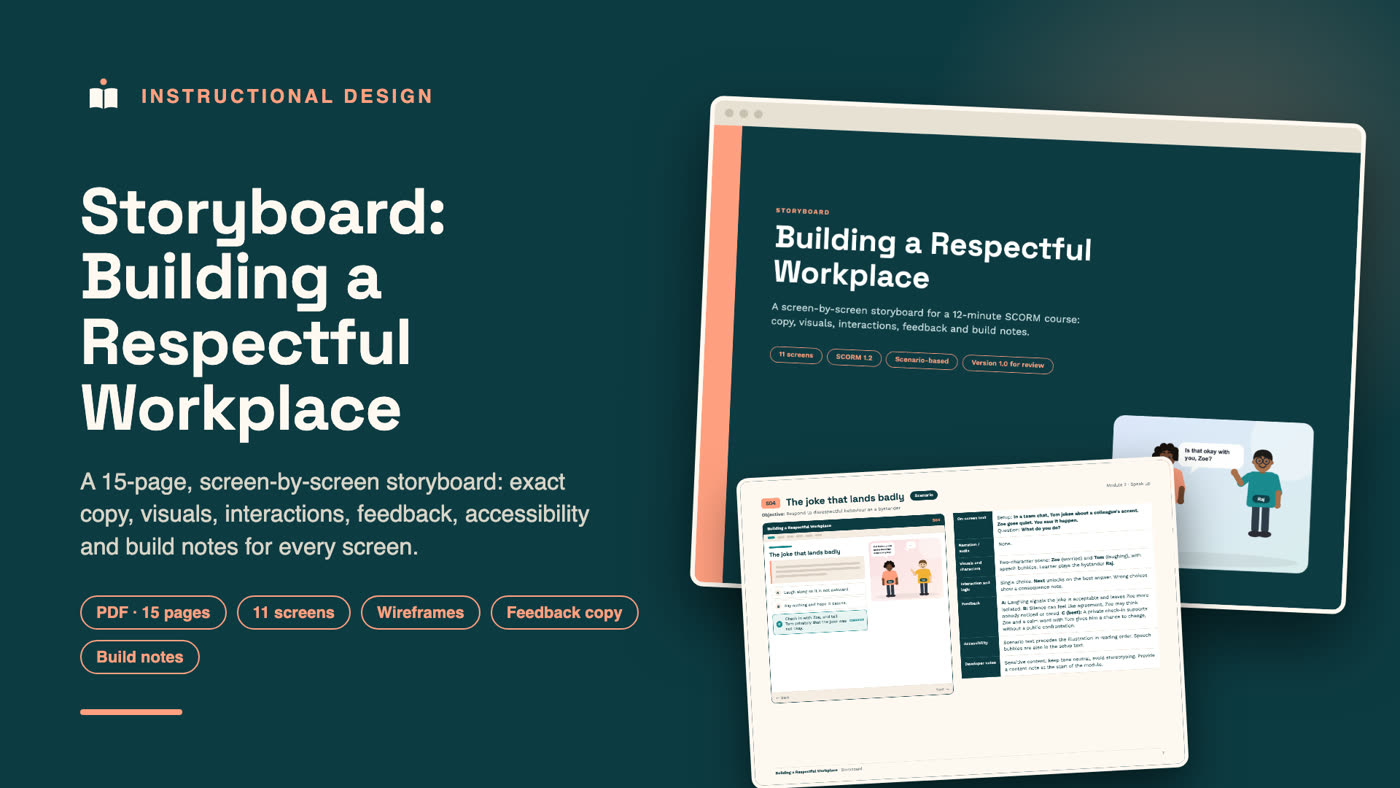
This is a complete eLearning storyboard, 15 landscape pages in PDF, for a 12-minute SCORM course called Building a Respectful Workplace. It shows the document that sits between an approved course outline and the build: a screen-by-screen specification that tells a developer, a reviewer and a subject-matter expert exactly what every screen contains and how it behaves.
Each of the eleven screens has its own page. The left side shows a wireframe of the screen, with original 2D characters in the scenario scenes. The right side lists the exact on-screen text, narration, visuals and characters, interaction and logic, feedback copy for every answer option, accessibility requirements and developer notes. The organisation and scenarios are illustrative, because this is an original portfolio piece and not client work.
Who this document is for
- Stakeholders and subject-matter experts who need to review and approve the actual words and interactions before development.
- Developers and LMS specialists who need unambiguous build instructions, including SCORM values and accessibility details.
- Learning and development leads who want a repeatable storyboard format for their own team.
- Anyone hiring an instructional designer who wants to see how I turn an outline into build-ready detail.
Why a storyboard matters
Changing text on a finished course is slow and expensive. Changing it in a storyboard takes minutes. A good storyboard moves every decision earlier: the exact wording, the feedback for each wrong answer, which screens lock, what gets saved to the LMS. By the time development starts, nothing is left to guess, so the build is faster and the review rounds are shorter.
What is inside
| Pages | What they contain |
|---|---|
| 1 | Cover |
| 2 | Overview: course facts, how to read the storyboard, conventions, the cast of characters and the learning objectives each screen supports |
| 3 | Course flow: all eleven screens in order, with gating rules, branching and resume behaviour |
| 4 to 14 | One page per screen (S01 to S11), each with a wireframe and a full specification |
| 15 | Quality checklists, version history and a sign-off block |
The screens
| Screen | Type | Purpose |
|---|---|---|
| S01 | Hero welcome | Orient the learner with a guide character |
| S02 | Interactive cards | Four habits that show respect |
| S03 | Knowledge check | Choose a respectful way to contribute in a meeting |
| S04 | Scenario | Respond as a bystander to a joke that lands badly |
| S05 | Demonstration video | The four Ds of speaking up: direct, distract, delegate, delay |
| S06 | Content | Swap phrases for inclusive language |
| S07 | Scenario | Include a new colleague who is left out of a team chat |
| S08 | Knowledge check | Give feedback about the work, not the person |
| S09 | Content | How to raise a concern and what happens next |
| S10 | Scored quiz | Eight questions, 80% to pass, unlimited retries |
| S11 | Completion | Certificate and three habits to keep |
What each page specifies
On-screen text
The exact copy, in bold, so reviewers approve real words and not summaries. Headings, body text, bullet points, callouts and button labels are all written out.
Narration and audio
Whether a screen has narration, music or sound. In this course the video uses captions and a quiet music bed with no voice, and every other screen is silent.
Visuals and characters
Which characters appear, what they are doing and what they say. A named cast keeps the scenarios consistent: Maya the guide, Raj, Zoe, Tom and Priya, with different skin tones, hair and outfits.
Interaction and logic
What the learner can do, what unlocks the Next button and what happens after a wrong answer. For example, a wrong answer is explained and the learner tries again, so nobody is stuck.
Feedback
Feedback is written for every option, not only "correct" and "incorrect". Each explanation says why the choice helps or harms, which is where most of the learning happens.
Accessibility
Reading order, alt text, keyboard behaviour, live regions for feedback, captions and transcripts, and the rule that colour is never the only signal.
Developer notes
Technical details such as SCORM 1.2 values, bookmarking, randomised option order, media formats and placeholders that the client must confirm.
Design decisions shown in the storyboard
Practise decisions, not recall
Most screens ask the learner to choose what to do. The scenarios put the learner in the position of a bystander or a colleague, and the feedback explains the reasoning behind each choice.
Handle sensitive topics carefully
Respect and inclusion content needs a calm, specific tone. The storyboard flags this directly: keep the tone neutral, avoid stereotypes, add a content note before the module and have HR review the wording.
Reuse templates
Check screens and scenario screens follow the same pattern, so the course is faster to build and easier for learners to use.
Mark what the client must confirm
Items that depend on the organisation, such as contact details and policy links, are written as configurable placeholders and flagged for confirmation, so they are not mistaken for finished content.
How the storyboard connects to the build
Once the storyboard is approved, it becomes the build script. The wireframes show the layout, the on-screen text is pasted straight into the course, the feedback copy becomes the answer explanations, and the developer notes become the SCORM settings. Because every screen has an ID, such as S04, reviewers, developers and testers all refer to the same thing, and a change request can point to exactly the screen and line it affects. That keeps reviews short and the build predictable.
How the document is designed
The storyboard uses a teal and peach palette, a geometric headline font and clear tables so it is easy to scan in a review meeting. Each page has the same structure, which means reviewers learn the layout once and can then read quickly.
What a project like this includes
- A storyboard like this one, tailored to your approved outline
- Exact copy, feedback, interactions and accessibility notes for every screen
- A review round with your stakeholders and one consolidated revision
- A handover to a developer, or I can build the course for you
- A short walkthrough video that explains the document to your team
Skills shown in this document
Instructional design, storyboarding, eLearning design, scenario writing, feedback writing, interaction design, wireframing, accessibility planning, SCORM planning, assessment design, inclusion and workplace culture training, and technical documentation.
Work with me
I am an instructional designer and LMS specialist. I plan, design and build self-paced courses and set up learning platforms. Send me your topic, your learners and the problem you need to solve, and I will reply with where I would start.
Browse the pages
Frequently asked questions
What is an eLearning storyboard?
An eLearning storyboard is a screen-by-screen plan for a course. It lists the text, media, interactions, feedback and technical notes for every screen so it can be reviewed and then built.
How is a storyboard different from a course outline?
The outline plans the whole course: audience, objectives, modules and assessment. The storyboard comes after it and specifies every screen in detail.
Can a storyboard be used by a different developer?
Yes. That is one of its main purposes. A clear storyboard lets any developer build the course the same way, and it protects your investment if the team changes.
How long does a storyboard take?
For a course of about eleven screens, usually one to two weeks including a review round, depending on how quickly feedback arrives.
Is the company in this storyboard real?
No. This is an original example. The organisation, scenarios and characters are illustrative.
Do you also build the course?
Yes. I build self-paced SCORM courses with interactions, scenarios, original characters and demo videos, and I set up and fix learning platforms.